
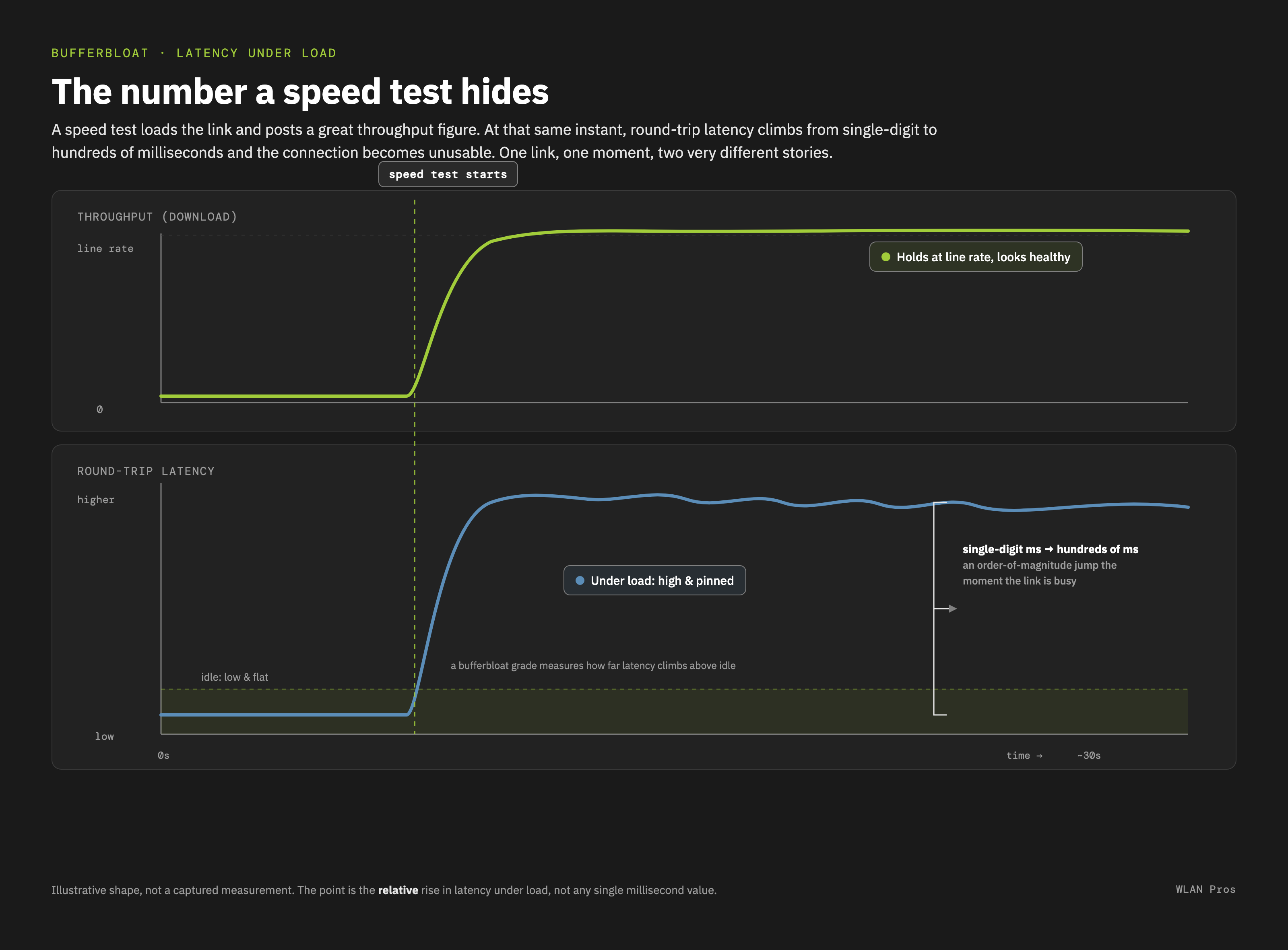
Your speed test says the connection is great. Your users say the video call froze. You are probably both right.
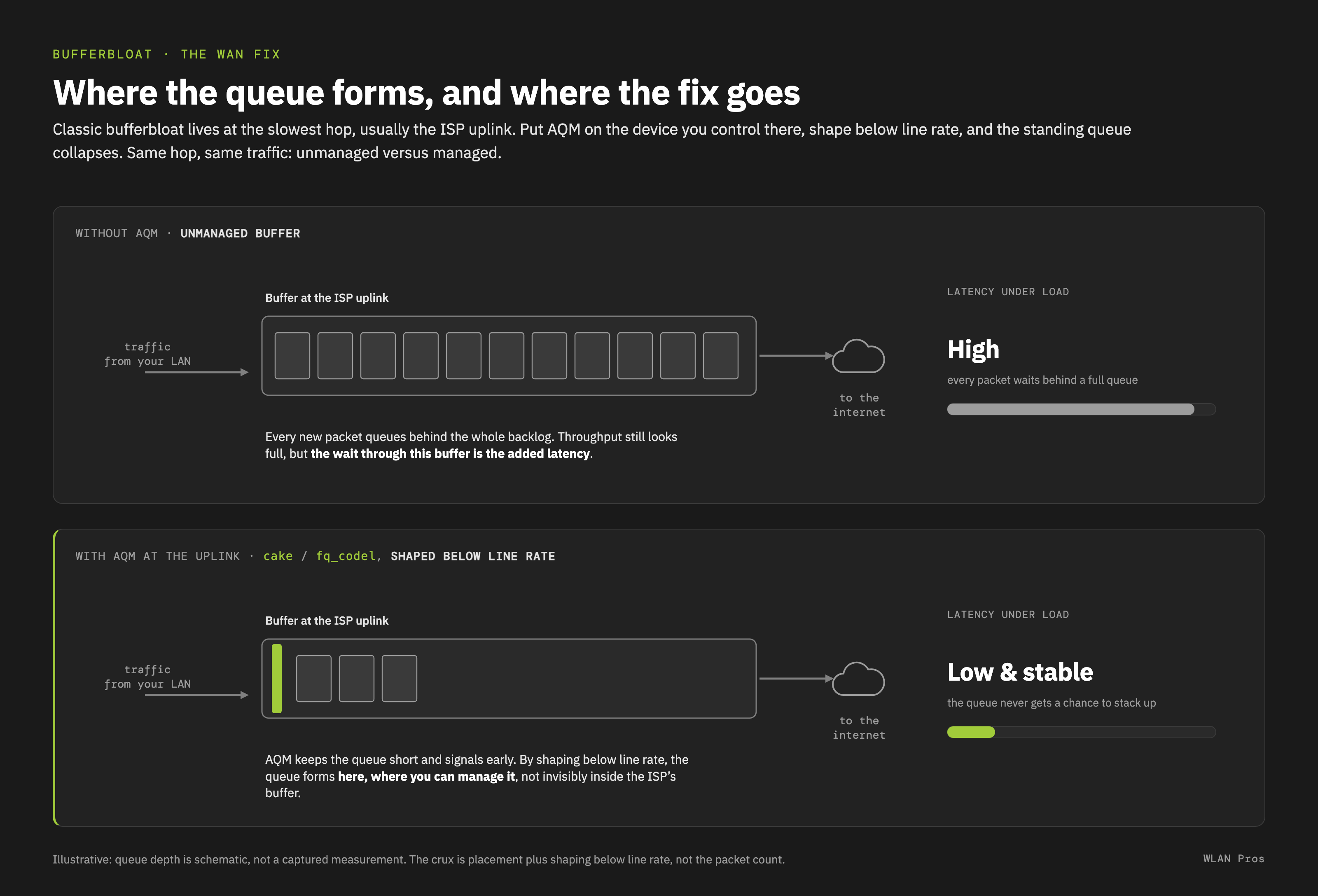
That gap has a name: bufferbloat. A buffer somewhere in the path holds far more data than it should. Load the link and that buffer fills into a standing queue, so every packet waits its turn. Throughput stays high while latency climbs, and a speed test only reports the throughput.
The latest WLAN Pros Toolbox adds three Educational Resources on it:
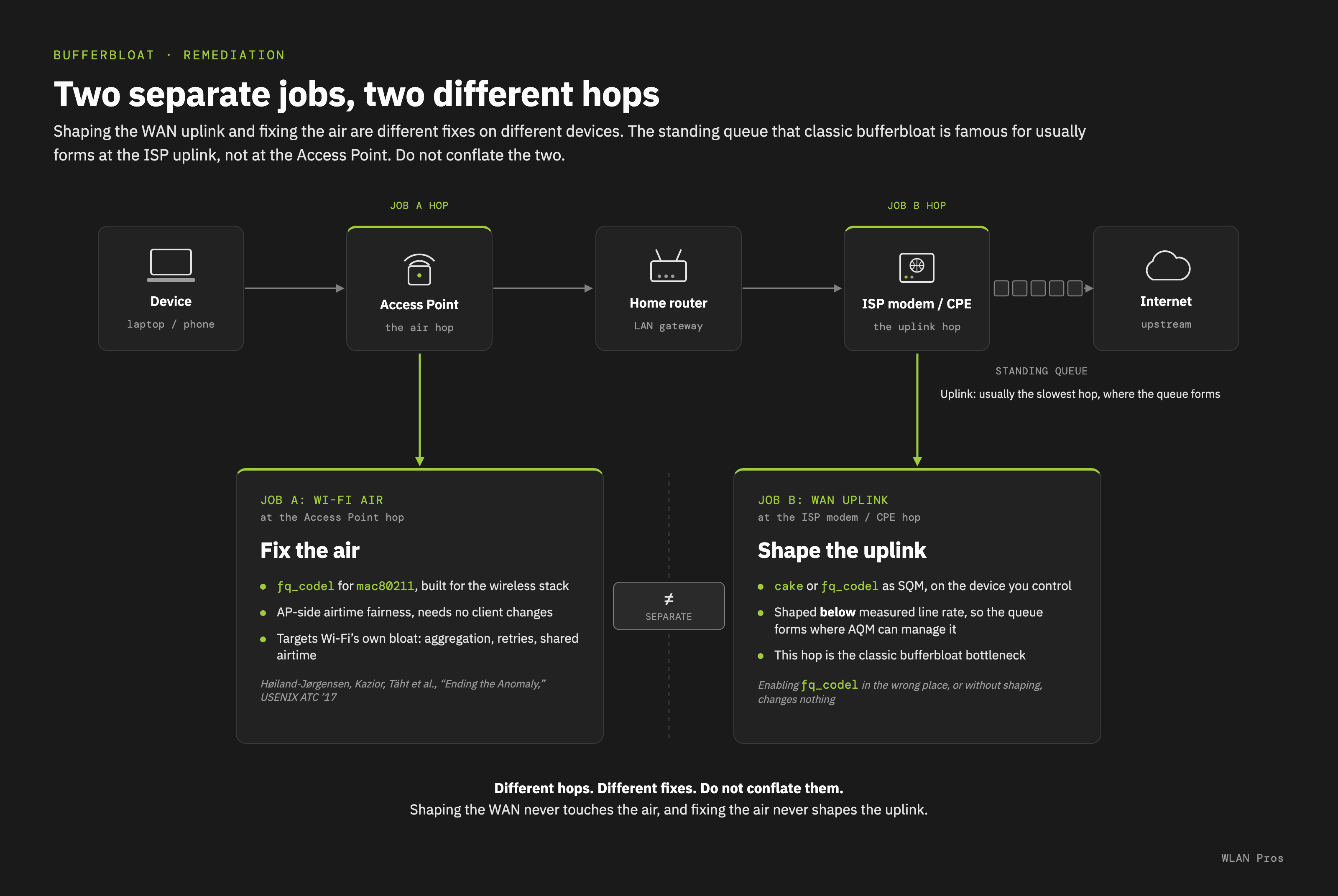
Bufferbloat: Latency Under Load. What it is, why the fix belongs at the real bottleneck and not at the Access Point, and why fixing the air and fixing the uplink are two separate jobs.
The LibreQoS Bufferbloat Test. It takes an idle baseline, loads the download, the upload, then both, and grades each on how far latency rose. Its advanced page breaks the delay into parts following the Broadband Forum's Quality Attenuation work.
The Waveform Bufferbloat Test. One grade for download, one for upload. The one to hand a customer.
Run a test wired, then over Wi-Fi from the same spot, and compare.
When a customer tells you the internet is fine because the speed test says so, what do you show them?